Build your florist website in the portal.
Your colours, fonts, logo and homepage. Your own web address. Preview it, publish it, and change it when the season does.
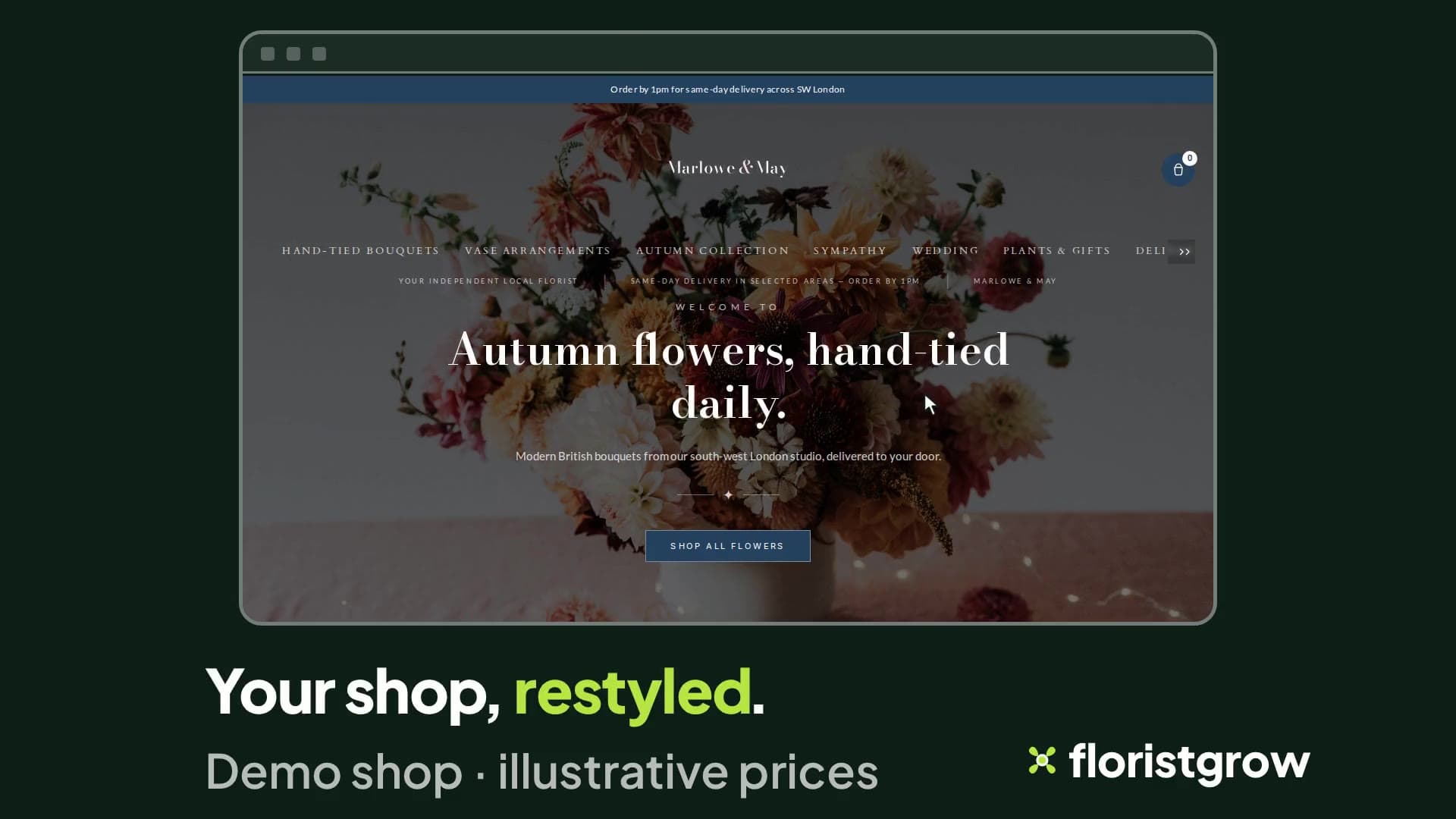
The appearance editor
Choose your primary and accent colours, and a font pairing from the list. Add your logo, a sticky-header logo and a favicon. Set your hero image, headline and intro. Rename your section headings. Show, hide and reorder the sections on your homepage. Add an announcement bar, a checkout banner and social links.
Nothing reaches your live shop until you publish. Save a draft, open a preview in a new tab, and publish when it looks right. If you want to start again, reset to defaults.
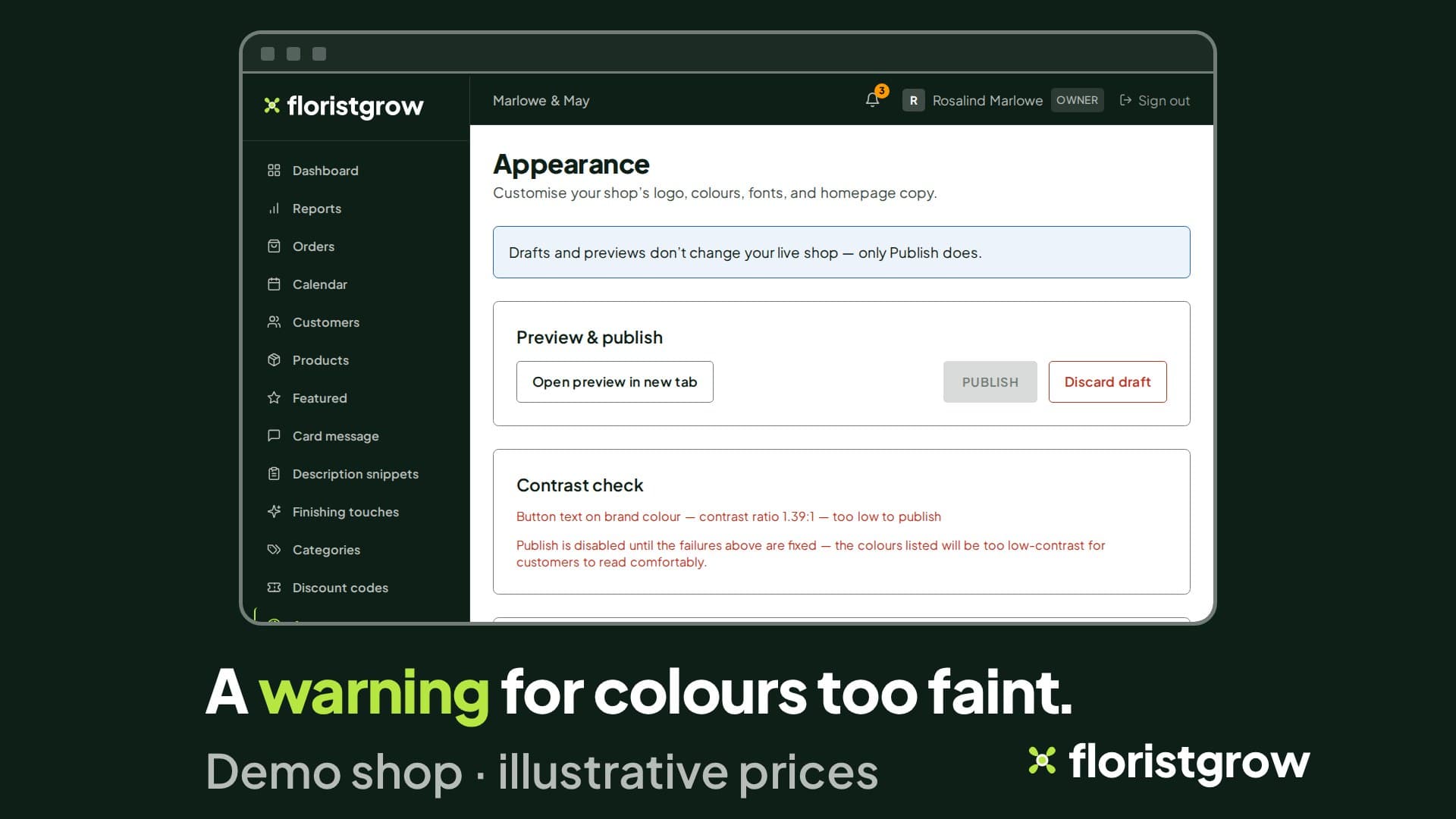
The contrast check
Pale text on a pale background can look fine on a designer’s screen and be hard to read on a phone at midday. The editor checks five colour pairings where they meet: body text on the page background, muted text, body text on cards, button text on your brand colour, and text on the footer.
If a pairing is hard to read, you get a warning. If it falls below the minimum, the Publish button stays off until you fix it.
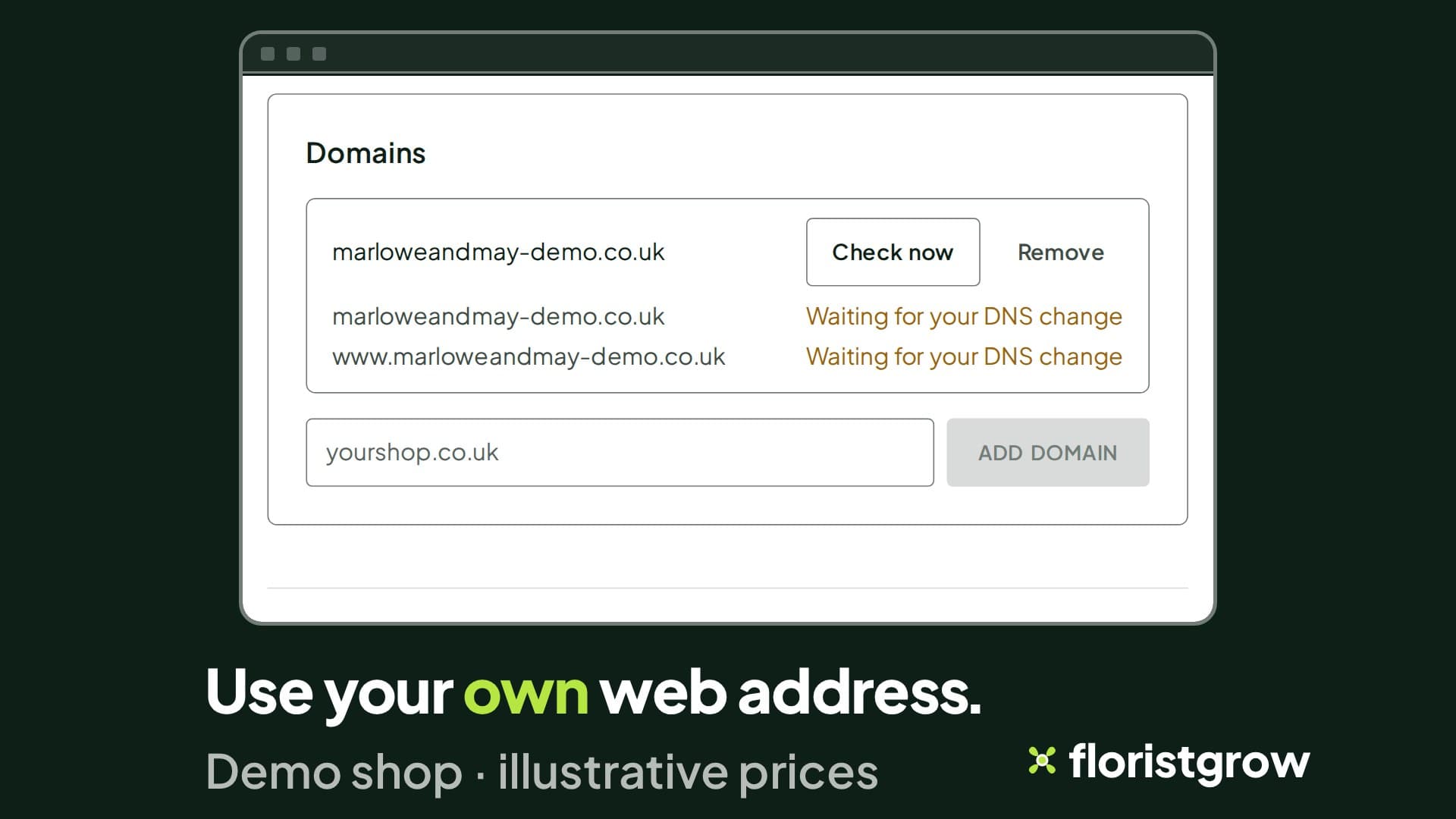
Your own web address
Connect the domain your customers already know, such as yourshop.co.uk, in place of a yourshop.floristgrow.co.uk address. The security certificate is set up automatically.
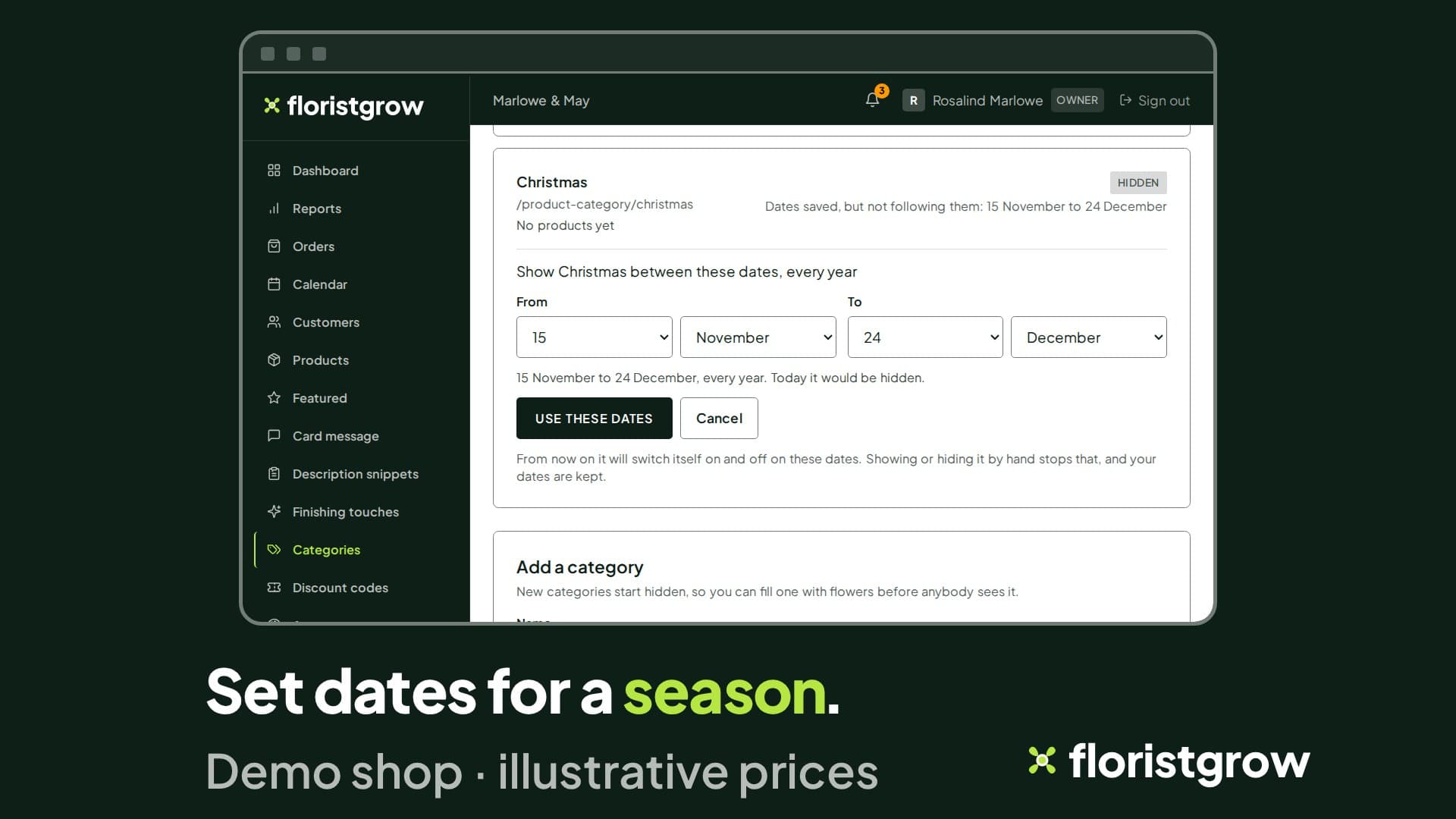
Categories, and seasons that run themselves
Create categories, rename them, nest them inside each other, add a photo, and show or hide each one. Add products to a category in a few taps.
Seasonal categories on a timer
Give a category a start and an end date: 1 December to 6 January for Christmas, or 1 to 14 February for Valentine’s Day. It appears on your shop on the first date and goes away on the last, repeating on the same day and month each year, on UK time. Dates that run over New Year work.
Prefer to take control for a day? Show or hide the category by hand, and your dates are kept, ready to follow again.
Product pages
Add products from your phone: iPhone photos are converted for you and large files are shrunk before they upload. Drag photos into order. Sell a bouquet in sizes with a price for each, and choose which photo goes with which choice. Mark a product unavailable without deleting it. Choose the order your products appear in, pick the products on your homepage, and add “You might also like” suggestions. Save the lines you type again and again, such as care instructions, as snippets.
Add a small pop-up of finishing touches at checkout, such as a card or chocolates. Ask customers for colour wishes. Set how long a card message can be.
Pages, menu and journal
Pages. Edit your About page, local-area pages and your shop’s terms. Write seasonal pages, such as Valentine’s Day or Christmas, with the dates they should appear.
Menu. Edit your shop’s menu, and reset it to the standard menu if you want to start again.
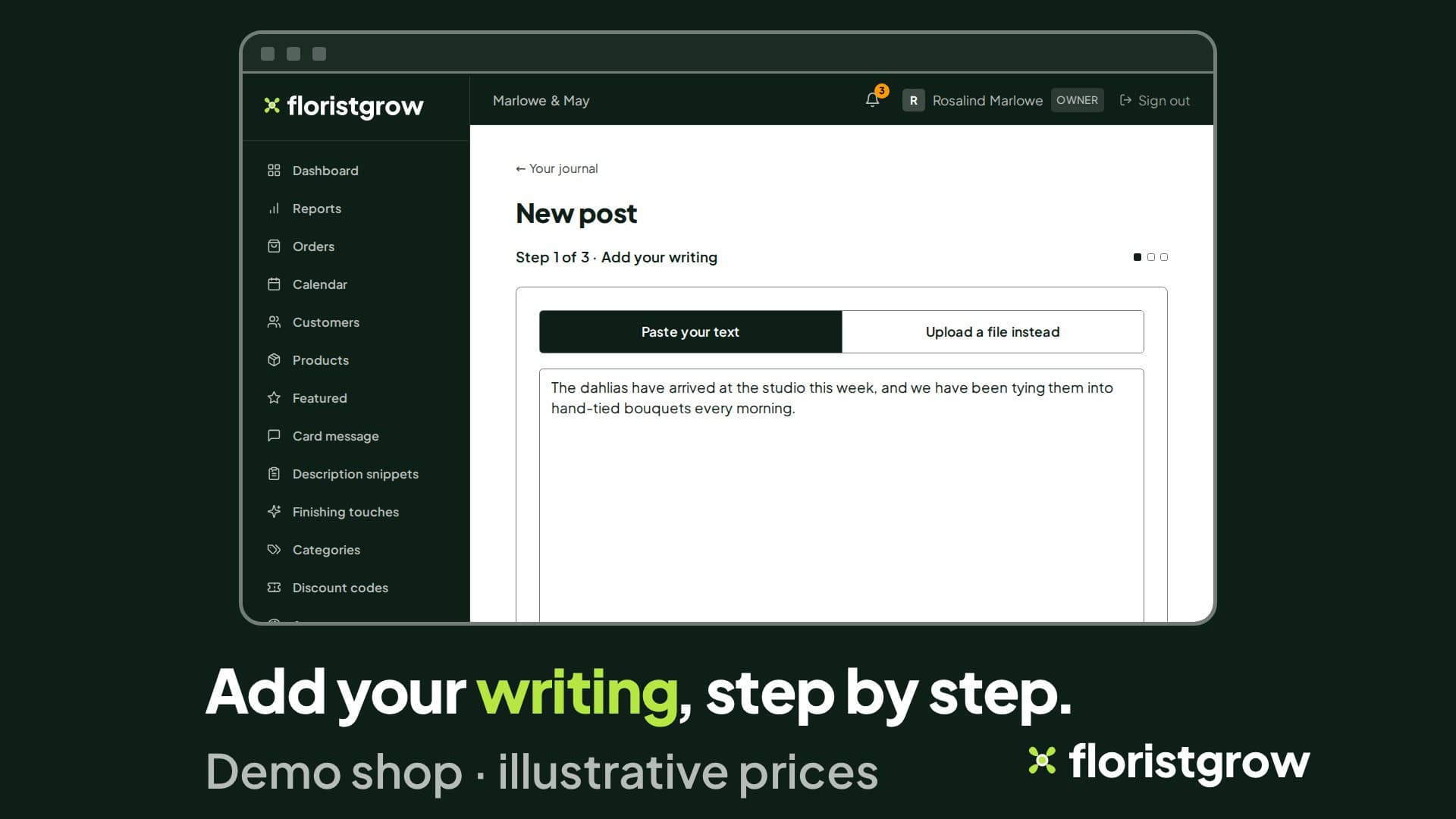
Journal. Write a post in a step-by-step editor: import a Word document, tidy the formatting, preview, save drafts. Add a cover photo, set your search wording and topics, and publish it to your shop’s journal.
Galleries. Make galleries for weddings and funerals, add and reorder photos, and choose where each one shows.
Found by the right people
Your shop’s pages carry your shop’s name in their titles and search tags, and each journal post lets you set its own search wording. Connect Google Analytics and Search Console and your dashboard can show how you appear in Google search, including what people searched for. We do the linking.
Customers and reportsComing
Discount codes are built and switched off. Public sign-up is not open yet. Neither is part of the product today.
Watch a shop being restyled.
- £99 a month
- No commission on your sales
- No setup fee
- 30-day free trial, card required
While the founding offer is open · Founding rate £74.25 a month. Standard price £99 a month.