Sell flowers online. No commission on your sales.
Card payments go to your own Stripe account, less Stripe’s fees. You pay FloristGrow a flat monthly fee, and nothing is taken from what you sell.
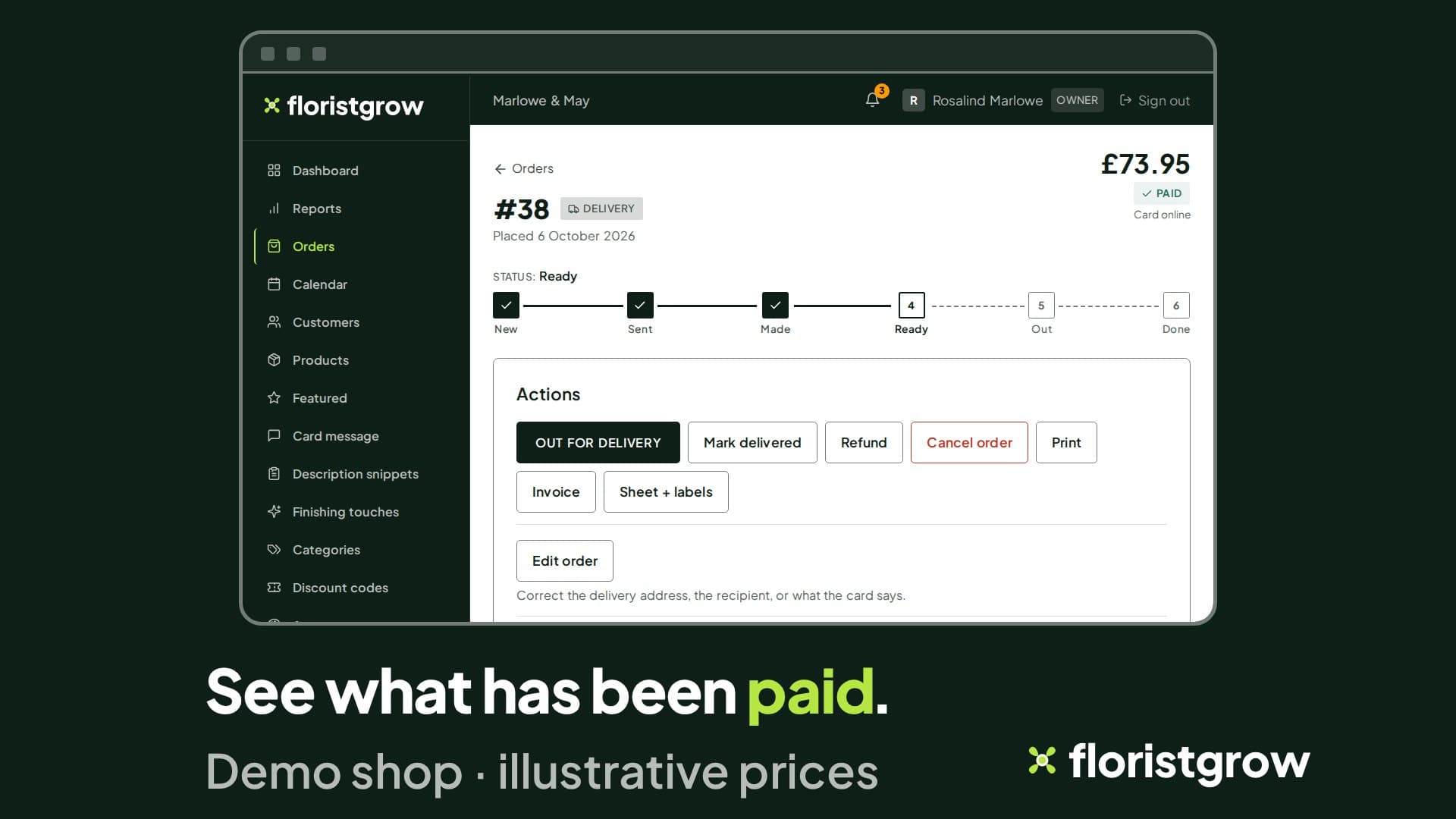
How card payments work
Customers pay by card at your shop’s checkout. FloristGrow uses Stripe, and your shop is set up so payments settle in your own Stripe account. That means three things.
- The money goes to your account, not ours. We do not take your takings in and pass them on.
- Stripe’s fees apply, and you pay them to Stripe. Stripe’s standard UK rate for UK cards is 1.5% + 20p per transaction. Other cards, such as EU and international cards, cost more (Stripe’s UK pricing page, 15 October 2026). FloristGrow takes nothing on top.
- Refunds and chargebacks happen in your Stripe account. They are between you, your customer and Stripe. That is how the account is set up, and our agreement says so plainly.
Getting set up
Press Payments in the portal and Stripe’s own pages take you through. Opening your shop also means a quick check with Stripe, who handle the payments — your business details and your bank details, and possibly photo ID — so your sales land straight in your own Stripe account. A status badge shows when you are ready, and what is needed if you are not.
No commission, in writing
FloristGrow charges a flat monthly fee, not a percentage of your sales, a transaction fee or any other cut of what you sell. If you are a founding florist, we will not introduce a commission or transaction fee for you, at any notice. For every other florist, if we ever wanted to introduce one, we would give you at least 30 days’ written notice, and you could cancel before it took effect without paying it. That is in the platform agreement (clauses 4.5 and 6.5), not a line on a web page.
Taking payment and refunds, from the order page
If a card payment was authorised and not yet taken, capture it from the order. Refund an order in full or for an amount you choose. Sold something over the counter? Record cash or card taken in the shop, and mark it paid or unpaid. The order page always shows the payment state.
Invoices that keep their numbers
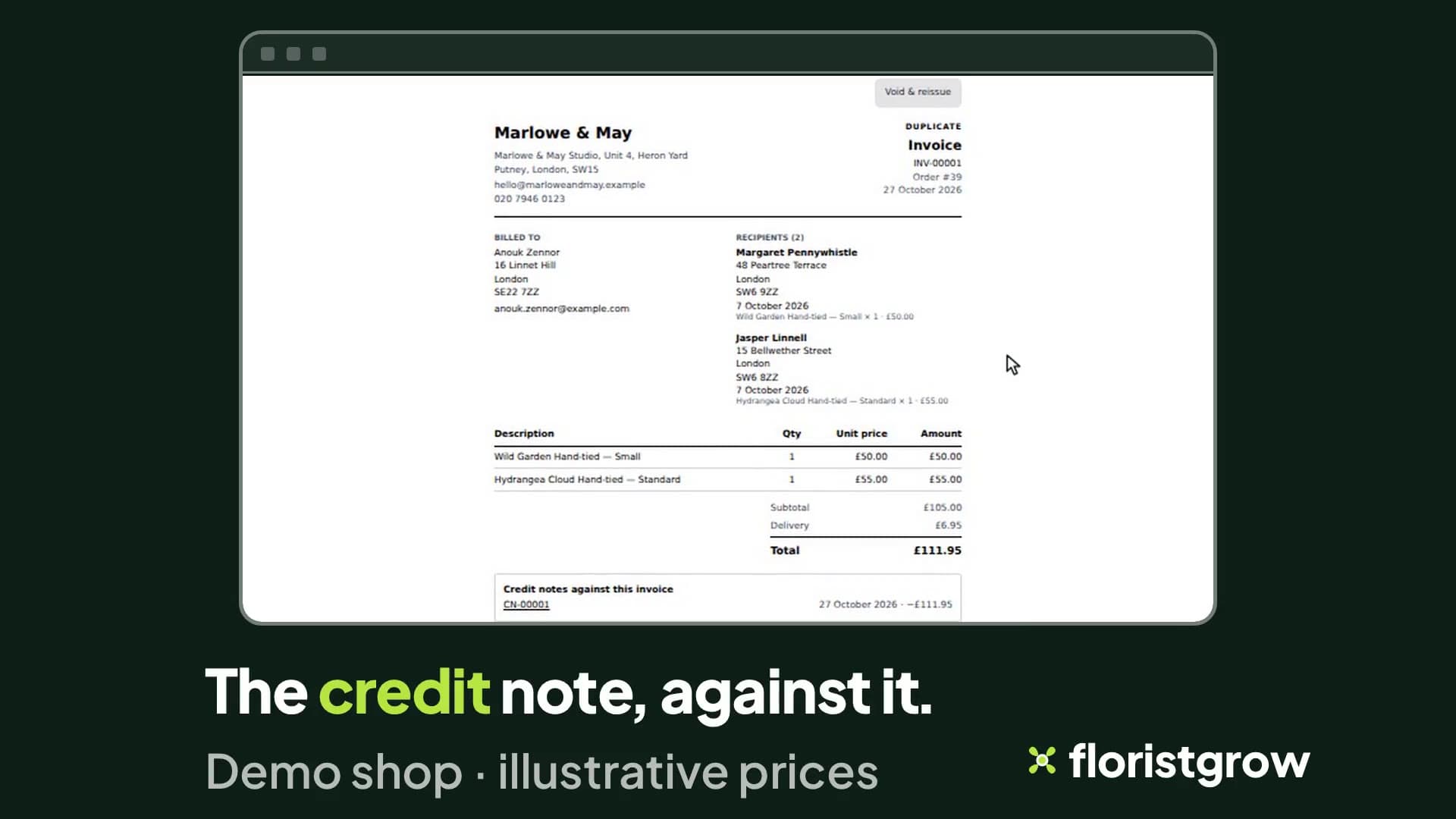
Open an order, preview its invoice, and issue it. It gets your shop’s next number in sequence, INV-00001, then INV-00002, and the date you issued it. Once issued it cannot be edited: opening it again shows a copy marked Duplicate with the same number and date.
- Billed to is the customer who paid, not the person the flowers went to, and you can correct the name, address and email before you issue.
- Refund an order and the invoice is not changed. The refund is recorded as a separate credit note against it, listed on the invoice page.
- Made a mistake? Void and reissue, with a reason. The old invoice keeps its number and is marked VOID, and a credit note cancels what is left on it. The corrected invoice takes the next number and says which one it replaces.
Monthly invoices and statements
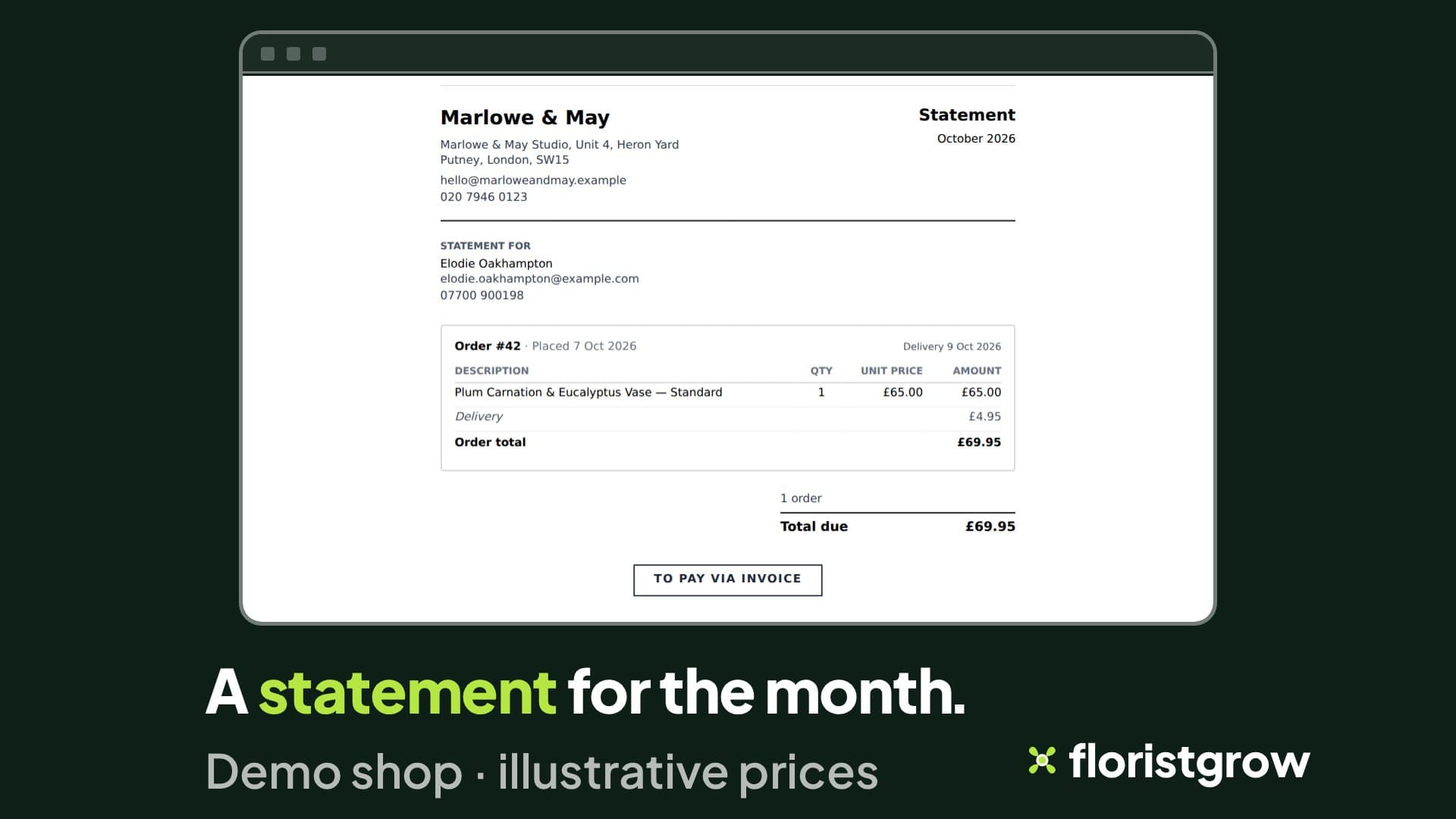
For customers who pay monthly, make one invoice for their month, or print a statement from their customer page. It lists the orders placed that month, leaves out cancelled orders and deducts refunds.
For your accountant
Reports show orders, revenue, refunds and net revenue by month or year, or over a range you choose, up to 366 days. Download a CSV of the report, or of your orders marked paid or unpaid.
Coming
Emailing an unpaid order’s customer a link to pay is planned and is not part of the product today.
Become a founding florist.
- £99 a month
- No commission on your sales
- No setup fee
- 30-day free trial, card required
While the founding offer is open · Founding rate £74.25 a month. Standard price £99 a month.
Stripe’s fees are separate and paid by you to Stripe.