See it working.
See it in the short clips below. Marlowe & May is a made-up florist, built on FloristGrow, so no real florist’s details are shown.

Short clips
Short loops and stills from the demo shop, with captions and no voice.
Taking an order, then printing it

A florist enters an order by hand, marks it ready, and prints the slip.
Delivery areas, cut-offs and closed days

Set a price for each delivery area, the same-day cut-off, and the dates you are closed.
Bank holidays and an open Sunday


Switch a bank holiday from closed to open, then add a one-off delivery date for a Sunday you do not normally deliver.
A season that switches itself on

Set the dates a Christmas category shows on the shop, every year.
Designing the shop, with the contrast check


Pick colours, change the headline, publish, and see the shop restyled. The contrast check stops a colour pairing that is too faint.
One order, several recipients
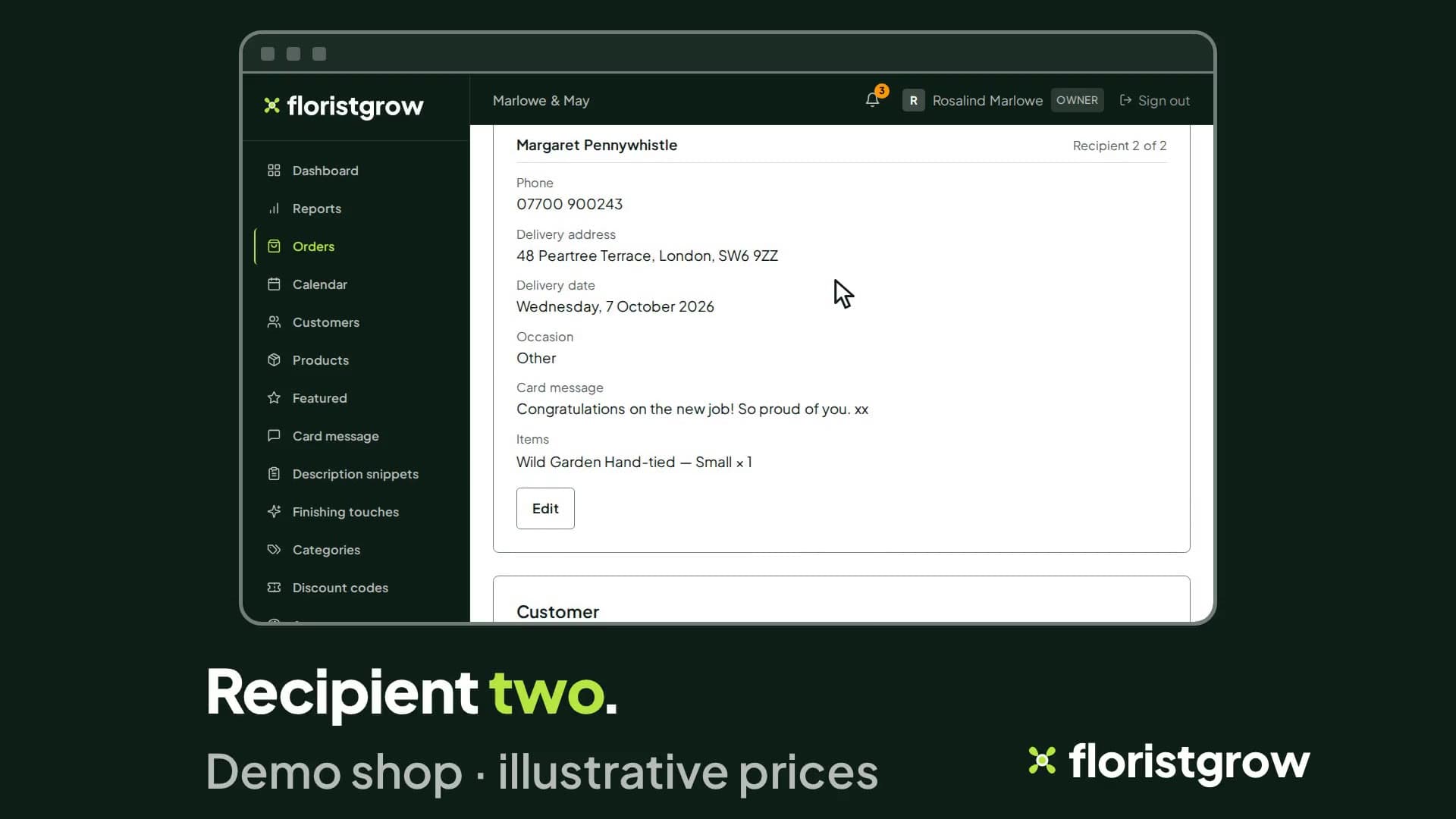
One order with two separate deliveries, each recipient with their own address, delivery date and card message.
An invoice, and a credit note after a refund
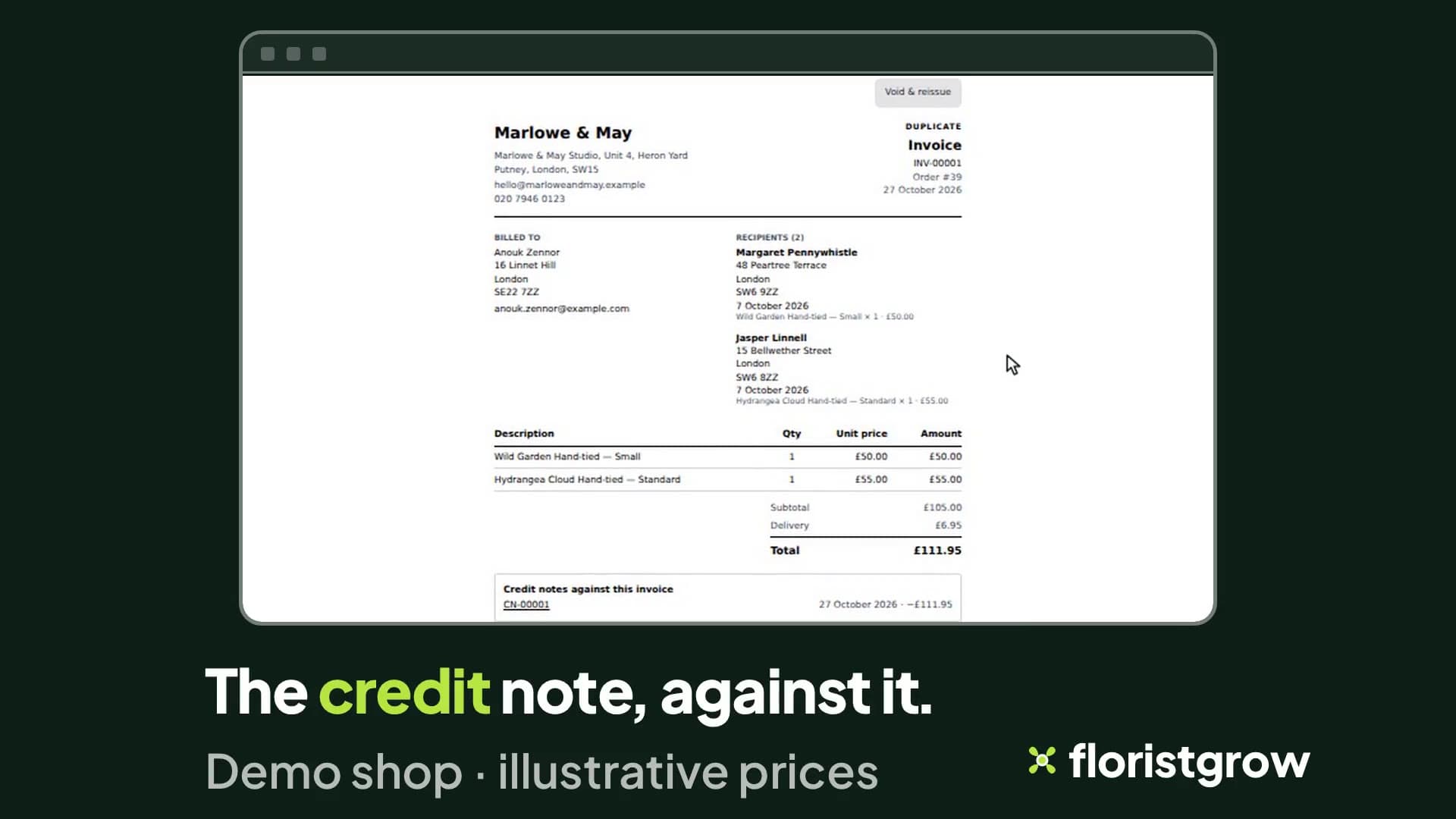
An invoice is issued, the order is refunded, and the credit note is listed against the invoice.
Seeing what has been paid

The order page shows whether an order is paid, and what you can do next. Demo shop.
The shopper concierge

On the demo shop, a shopper opens the concierge, the chat headed ‘Flower assistant’, and types what they are looking for: something for an anniversary, around £60.
The dashboard

Sales, orders, average order value and payments collected, with a revenue trend.
Try it yourself
We’re opening FloristGrow to independent UK florists ahead of a public launch. Your 30-day free trial starts when you add a card, whether or not your shop is open yet, so we suggest finishing Stripe’s checks first. Cancel in the portal before it ends and you pay nothing.
- £99 a month
- No commission on your sales
- No setup fee
- 30-day free trial, card required
While the founding offer is open · Founding rate £74.25 a month. Standard price £99 a month.